raja303Android & iOS App
Mobile gaming differs from browser play: our app delivers faster load times, offline tournament access, and direct notifications for Liga 1 fixtures and slot tournaments. We at raja303 offer Android APK installation and an iOS web-app path so users in supported jurisdictions can access our sportsbook, live-dealer tables, and slot games from any device.
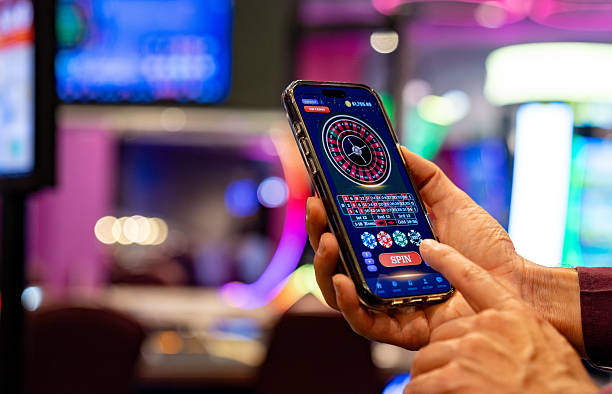
- DownloadAPK
- Installin
- LoginOTP Verification
- SHA256 Match
Installing our app on Android takes minutes—download the APK from our secure server, enable installation from unknown sources, and tap to install. iOS users access raja303 through a web-app shortcut that behaves like a native app on your home screen. Both paths protect your account with the same encryption and Know Your Customer (KYC) verification as our web platform.
This page walks you through app installation, device requirements, security practices, and troubleshooting steps.
Getting Started with raja303 on Mobile
Why Mobile-First Gaming Matters
Mobile apps give you speed and convenience that browsers sometimes cannot match. Our raja303 app caches slot tournament schedules, game information, and player account data locally—so you can check upcoming tournaments during Idul Fitri or Idul Adha even before you deposit. Push notifications alert you when a Liga 1 match is about to start or when a daily slot tournament opens. The app also reduces data usage by loading images and logos only once, then serving them from your device's cache.

Three Ways to Access raja303
We at raja303 support three install paths so you can choose what works for your device and preferences.
Android APK
Download and install our native Android app directly. Requires Android 7 or later.
Download APKiOS Web App
Use Safari to add raja303 to your home screen as a web-app shortcut. iOS 12 or later.
Add to HomeWeb Browser
Access raja303 directly from Safari, Chrome, or Firefox on any phone or tablet.
Visit WebInstallation Steps
- Download: For Android, visit our secure APK download page; for iOS, open Safari and navigate to our web app at raja303.app.
- Install: On Android, enable "Unknown sources" in Settings → Security, then tap the APK file to install. On iOS, tap the share icon and select "Add to Home Screen."
- Create or sign in: Open the app, enter your email or username, and create a new account or sign in with your existing credentials.
- Start playing: Deposit using DANA, e-wallet, mobile banking, local payment, online payment, e-wallet, mobile banking, local payment, online payment, or e-wallet, then join slot tournaments or sportsbook markets.
App Features and Device Compatibility
App Versus Browser: Strengths of Each
Our raja303 app on Android caches slot game assets, tournament graphics, and game information so the app launches instantly on your home screen—no waiting for files to download each time. You receive push notifications when a Piala Indonesia match kicks off, when a daily Sweet Bonanza tournament opens, or when your account balance changes. The app also secures your login with fingerprint or face recognition if your device supports it, adding a layer of protection beyond your password. Your browser session, by contrast, lets you access raja303 from any device without installation, works across desktop and mobile seamlessly, and requires no permissions beyond internet access. Many users keep both active: the app for quick daily access to tournaments, and the browser for account settings or large-screen gameplay.
Device Requirements
Our Android app runs on Android 7.0 or later (released 2016 and onwards). Most phones sold meet this requirement—if your device is older, you can still access raja303 through your browser. Our iOS web-app shortcut works on iOS 12 or later, which covers iPhone 6s and newer. Both paths support all screen sizes from 4-inch phones to 10-inch tablets. If your device is older and cannot install the app, our web version at raja303.app works in any modern browser.

Troubleshooting Common Install Issues
If your Android phone shows a security warning when installing our APK, this is normal—Android warns about APKs from sources outside the Google Play Store. We at raja303 sign our APK with a digital certificate that you can verify. To proceed, tap "Install anyway" or "More details" → "Install." If installation fails, check that your phone has at least 100 MB of free storage. If you get a certificate error, clear your browser cache, download the APK again, and retry. On iOS, if the web-app shortcut does not appear on your home screen after tapping "Add to Home Screen," close Safari completely, reopen it, navigate back to raja303.app, and try again. Some iOS updates require you to re-add the shortcut.
Data, Permissions, and Account Security
Our Android app requests permissions to access your device's camera (for KYC photo uploads), microphone (for future video support), and storage (for app cache and screenshots). We do not collect your contacts, calendar, or location without your explicit consent. All data travels to our servers over encrypted HTTPS, and your password is never stored on your device—we verify it only during login. When you withdraw funds to DANA, e-wallet, mobile banking, local payment, online payment, e-wallet, mobile banking, local payment, online payment, or e-wallet, your payment details are handled by our payment processor, not stored in our app. Your account is also protected by Know Your Customer (KYC) verification: before your first withdrawal, we ask for government ID, a utility bill, and a selfie. This protects both you and our platform from fraud and money-laundering risks.
We at raja303 treat your account security as seriously as you do. Every login is logged, every withdrawal is verified, and every deposit method is encrypted.
Best Practices for Mobile Play
Keeping Your Account Safe on Mobile
Use a strong password—at least 8 characters mixing letters, numbers, and symbols—and never reuse it on other sites. Enable login notifications so our system emails you whenever someone signs into your account from a new device. When you are away from home in Bandung or Medan, do not enter your full password on public Wi-Fi; either use your mobile data or wait until you are on a private network. If you suspect someone has accessed your account, contact our support team immediately. We provide account recovery through email verification and can reset your password or freeze withdrawals pending investigation.
Maximizing Mobile Gaming Experience
Our app loads Aviator, Sweet Bonanza, Gates of Olympus, Fortune Tiger, and Mahjong Ways tournaments quickly on mobile because tournament schedules are cached locally. Check the tournament calendar when you first open the app—you will see today's events plus the week ahead. Join tournaments during off-peak hours (early morning or late evening) so you experience fewer network delays. If the app feels slow, clear the cache by going to Settings → Apps → raja303 → Storage → Clear Cache—this removes temporary files but keeps your account data intact. Restart the app after clearing cache.
Support and Contact
If you encounter technical issues installing or using our app, our English-language support team is available during business hours. Reach out through the support portal in the app (tap the question mark icon) or visit our FAQ page for common questions about deposits, withdrawals, and account recovery. For urgent issues during Nyepi or other holidays, our support team may have limited availability—we will respond as soon as possible.